Introduction
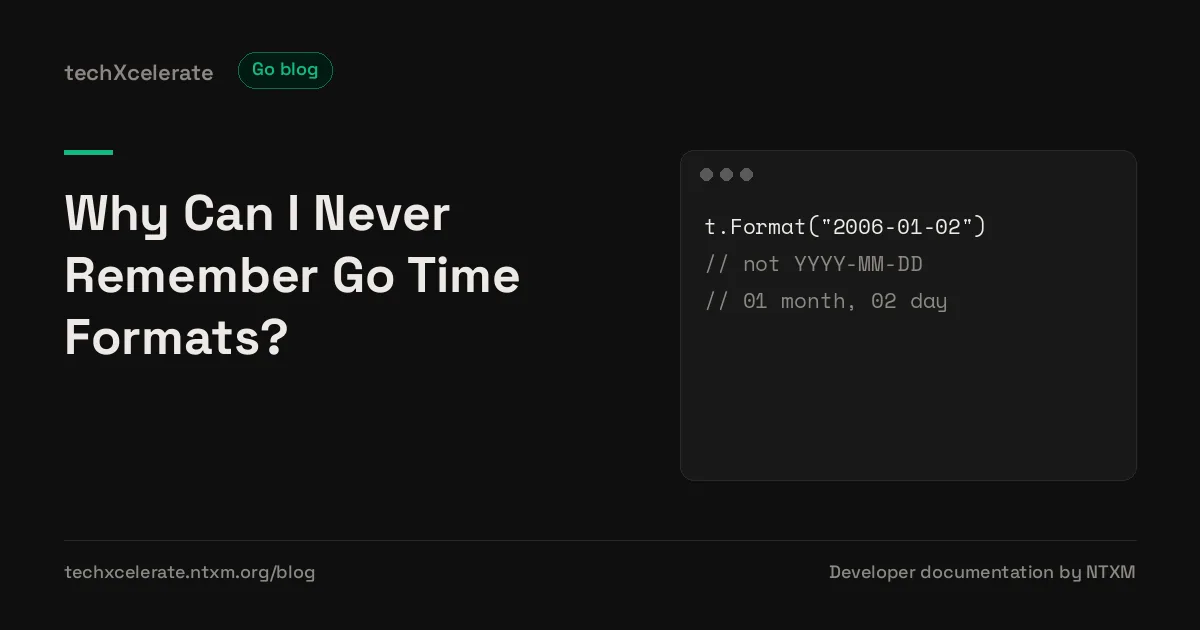
You cannot remember Go time formats because Go does not use format symbols. Other languages let you write YYYY-MM-DD and mean year, month, day, but Go asks you to write an example date instead, and that example date is a specific moment in 2006. Once you learn that one moment, and the rule for reading it, every layout becomes readable, and the guessing stops.
Before You Start
- Time: a value of type
time.Timethat holds a wall clock reading, a location, and, in values returned bytime.Now, a monotonic clock reading used for measuring elapsed time. Atime.Timevalue is not a string, and formatting it does not change it. - Layout: a string that describes a time format by showing what the reference time would look like in that format. A layout is not a pattern of symbols, and it is not a regular expression. It is an example.
- Reference time: the specific moment Go uses as its layout example, Monday, January 2, 15:04:05, in the MST zone, in the year 2006, written in full as
Mon Jan 2 15:04:05 MST 2006. Every layout element is a piece of that moment. - Format: the method
t.Format(layout)that turns atime.Timeinto a string by applying the layout to that time. The layout describes the output shape, and the time supplies the values. - Parse: the function
time.Parse(layout, value)that turns a string into atime.Timeby reading the string with the same layout. The layout describes the input shape, and the string supplies the values. - Location: a value of type
*time.Locationthat names a time zone, such as UTC or a named zone loaded withtime.LoadLocation. A location decides what a wall clock reading means, and two times that look alike in different locations can be different instants. - RFC 3339: a timestamp profile of ISO 8601, written in Go as the constant
time.RFC3339, with the layout2006-01-02T15:04:05Z07:00. It is the standard choice for timestamps sent between systems. - Monotonic clock: a clock that counts elapsed time and is not adjusted by clock synchronization, used by Go for measuring durations. The wall clock tells the time of day, and the monotonic clock measures how much time passed.
Prerequisites
- Go 1.20 or later, because the article uses the standard
timepackage and thetime.DateOnly,time.DateTime, andtime.TimeOnlyconstants. - A terminal, and a text editor.
- No third party packages are required for the complete example.
go version
Requires: Go 1.20 or later. Verified on 2026-10-25 against the official sources in References.
Project Layout
time-formats/
├── go.mod        # module declaration, Go version
├── main.go       # formatting and parsing helpers, and main function
└── main_test.go  # format, parse, zone, and reference time tests
- go.mod: declares the module and the minimum Go version.
- main.go: holds the helpers, so each rule in the article maps to one function that can be read in order.
- main_test.go: holds tests that pin the exact output of each helper, so a wrong layout fails a test instead of shipping a wrong date.
The One Moment To Remember
The whole system is one date, written in numerical order in the time package documentation:
01/02 03:04:05PM '06 -0700
Read it as a sequence, and the sequence itself is the memory aid. Month is 01, day is 02, hour in 12 hour form is 03, minute is 04, second is 05, year in two digit form is 06, and zone offset is -0700. The full reference time, with names instead of numbers, is:
Mon Jan 2 15:04:05 MST 2006
That moment is January 2, 2006, at 15:04:05, in the MST zone, seven hours west of GMT, with Unix time 1136239445. The documentation states the rule for using it directly: to define your own format, write down what the reference time would look like formatted your way, and Format and Parse apply the same transformation to a general time value.
That rule is why Go layouts feel strange at first, and why they become predictable once the rule is clear. You are not memorizing a code for year, a code for month, and a code for day. You are answering one question for each piece of your output: what would the reference time show here?
A date only output shows the reference date as 2006-01-02. A date and time output shows it as 2006-01-02 15:04:05. A human readable output shows it as Mon, 02 Jan 2006, 3:04 PM. Each layout is the same moment, written in a different shape, and the shape you write is the shape you get.
Reading Any Layout, Piece By Piece
The time package documentation lists every layout element, and each element is a piece of the reference time. The table below covers the elements used in most programs, with the reference value for each.
| Layout element | Reference value | Meaning |
|---|---|---|
2006 | 2006 | Four digit year |
06 | 06 | Two digit year |
January | January | Full month name |
Jan | Jan | Short month name |
01 | 01 | Month as two digits, zero padded |
1 | 1 | Month as digits, no padding |
Monday | Monday | Full weekday name |
Mon | Mon | Short weekday name |
02 | 02 | Day of month as two digits, zero padded |
2 | 2 | Day of month as digits, no padding |
_2 | Space, then 2 | Day of month, space padded to two characters |
15 | 15 | Hour in 24 hour form |
03 | 03 | Hour in 12 hour form, zero padded |
3 | 3 | Hour in 12 hour form, no padding |
04 | 04 | Minute, zero padded |
4 | 4 | Minute, no padding |
05 | 05 | Second, zero padded |
5 | 5 | Second, no padding |
PM | PM | AM or PM mark, used with a 12 hour hour element |
MST | MST | Zone abbreviation |
-0700 | -0700 | Numeric zone offset, hours and minutes |
-07:00 | -07:00 | Numeric zone offset, hours and minutes with a colon |
Z07:00 | Z, or an offset | Z for UTC, otherwise a numeric offset with a colon |
Three details in that table cause most of the confusion, and each has a plain explanation.
First, month and day are in American order in the reference time, month before day, so month is 01 and day is 02. Writing day first in your head, then translating to Go, swaps them. Keep the reference order in mind, and check the two digits against the table, not against your local date order.
Second, hour has two forms, and they are not interchangeable. 15 is the 24 hour form, and it needs no AM or PM mark. 03 is the 12 hour form, and it needs PM to distinguish afternoon from morning. A layout of 03:04 without PM gives a 12 hour time with no way to tell morning from afternoon, which is a data loss, not a style choice.
Third, padding is part of the layout. 02 pads the day with a zero, 2 does not, and _2 pads it with a space, for fixed width formats. The same rule applies to month, hour, minute, and second. A layout that says 2 will print 2 for the second day of a month, and a layout that says 02 will print 02, and a parser using one layout will not accept input written in the other shape without an error, unless the shapes happen to match.
Text in a layout that is not a recognized element is echoed verbatim by Format, and expected verbatim by Parse. That is how separators, commas, and words like at get into a layout, and it is also why a symbol from another language fails silently in Go. YYYY contains no recognized element, so Format prints the letters YYYY, and Parse expects the letters YYYY in the input. Go does not warn you, because from its point of view you asked for those literal letters.
The Predefined Layouts, And When To Use Each
Most programs need only a small set of layouts, and Go ships them as constants. Using a constant removes a whole class of layout errors, because the constant is already correct, and its name says what it is for.
const (
    ANSIC       = "Mon Jan _2 15:04:05 2006"
    UnixDate    = "Mon Jan _2 15:04:05 MST 2006"
    RubyDate    = "Mon Jan 02 15:04:05 -0700 2006"
    RFC822      = "02 Jan 06 15:04 MST"
    RFC822Z     = "02 Jan 06 15:04 -0700"
    RFC850      = "Monday, 02-Jan-06 15:04:05 MST"
    RFC1123     = "Mon, 02 Jan 2006 15:04:05 MST"
    RFC1123Z    = "Mon, 02 Jan 2006 15:04:05 -0700"
    RFC3339     = "2006-01-02T15:04:05Z07:00"
    RFC3339Nano = "2006-01-02T15:04:05.999999999Z07:00"
    Kitchen     = "3:04PM"
    DateTime    = "2006-01-02 15:04:05"
    DateOnly    = "2006-01-02"
    TimeOnly    = "15:04:05"
)
The documentation gives a clear preference for new work: RFC 3339 should be preferred for new protocols, and RFC 1123Z should be used instead of RFC 1123 for servers that insist on that format. That preference matches the complete example in this article, which uses RFC 3339 for machine readable output, and a human readable layout only for display.
Fractional seconds follow the same example rule, with one extra distinction. A decimal point followed by zeros prints exactly that many decimal places, so 15:04:05.000 prints milliseconds with trailing zeros kept. A decimal point followed by nines prints that many places with trailing zeros removed, so 15:04:05.999 is the shape used in RFC 3339Nano, and it drops trailing zeros. When parsing, an input may contain a fractional second right after the seconds field even if the layout does not mention one, and the fraction is truncated to nanosecond precision.
Parsing: The Same Layout, In Reverse
Parse uses the same layout model as Format, in reverse. The layout describes the input shape, and the input must match it. The function returns a time.Time and an error, and the error must be checked, because a failed parse returns the zero time, which is year 1, month 1, day 1, not an error value that announces itself in output.
t, err := time.Parse("2006-01-02", "2026-10-25")
if err != nil {
    return err
}
fmt.Println(t)
Three parsing rules surprise readers who only know Format, and each is documented in the time package.
First, elements omitted from the layout are assumed to be zero, or one when zero is impossible. Parsing 3:04pm with layout 3:04pm returns January 1, year 0, at 15:04 UTC, because year, month, and day were not in the layout, and day defaults to 1. A date only parse returns midnight, because hour, minute, and second were omitted and default to zero.
Second, in the absence of a time zone indicator, Parse returns a time in UTC. That is a deliberate default, and it is the most common source of an off by hours bug in parsing code. If the input has no zone, and the intended zone is not UTC, use ParseInLocation with the intended location, instead of parsing and hoping the result is local.
loc, err := time.LoadLocation("Asia/Kolkata")
if err != nil {
    return err
}
t, err := time.ParseInLocation("2006-01-02 15:04", "2026-10-25 20:00", loc)
if err != nil {
    return err
}
ParseInLocation differs from Parse in two ways, and only two ways. Without zone information, it interprets the time as in the given location, not UTC, and when a zone offset or abbreviation is present, it matches it against the given location, not the local location. Everything else about layout matching is the same.
Third, zone abbreviations are weaker than numeric offsets. When parsing a time with a zone abbreviation, Go uses the offset for that abbreviation in the current location, if it has one, and the abbreviation UTC is recognized as UTC regardless of location. If the abbreviation is unknown, Go records the time in a fabricated location with that abbreviation and a zero offset, so the value can be reformatted losslessly, but the instant it represents will differ by the actual zone offset. The documented advice follows from that: prefer layouts with a numeric zone offset, or use ParseInLocation, for times that must represent an exact instant.
Two more parsing traps belong in the same section, because they are documented and they bite in real input. A two digit year follows a pivot rule: a value of 69 or higher is treated as 19NN, and a value below 69 is treated as 20NN, so 69 means 1969 and 68 means 2068. A weekday in the input is checked for syntax but otherwise ignored, so a wrong weekday name in the right shape does not change the parsed date, and a correct weekday does not confirm the date. Leap seconds, with second 60, cannot be parsed, because they are not representable by a time.Time.
Time Zones, Comparison, And The Monotonic Clock
Formatting and parsing are only half of time handling, and the other half is deciding what a time means. A time.Time holds a wall clock reading and a location, and the same wall clock reading in two locations is two different instants. The safe default for storage and for timestamps sent between systems is UTC, with conversion to a local zone only at display time, using t.In(loc) or t.UTC().
stored := t.UTC()
display := stored.In(loc)
fmt.Println(stored.Format(time.RFC3339))
fmt.Println(display.Format("Mon, 02 Jan 2006, 3:04 PM MST"))
Comparison has a rule of its own. The == operator compares not only the instant, but also the location and the monotonic clock reading, so two times that represent the same instant can compare unequal with == if their locations or monotonic readings differ. The methods Equal, Before, and After compare instants, and they are the correct comparison for almost every program. A time returned by time.Now carries a monotonic reading, and comparisons and subtractions on two such times use the monotonic reading alone, which protects elapsed time measurement against wall clock changes. Serialized forms omit the monotonic reading, and constructors like Date, Parse, ParseInLocation, and Unix create times with no monotonic reading, so a parsed time and a live time compare by wall clock, not by monotonic reading.
Operations that reinterpret a time strip its monotonic reading, because they act on the wall clock reading. In, Local, and UTC strip it, as do AddDate, Round, and Truncate. The canonical way to strip a monotonic reading, when a comparison must fall back to wall clock, is t = t.Round(0).
Durations have a related boundary that is worth stating plainly. A time.Duration is an int64 nanosecond count, and time.ParseDuration accepts units ns, us, ms, s, m, and h, with an optional fraction, as in 1h30m. There is no day unit, because a calendar day does not have a fixed duration across daylight saving transitions. A duration of 24 hours is not always a calendar day, and AddDate exists for calendar arithmetic, while Add exists for duration arithmetic.
Design Decisions And Tradeoffs
| Option | Use when | Cost |
|---|---|---|
| A predefined constant, such as time.RFC3339 | A timestamp leaves your program, for an API, a log, or storage | The shape is fixed, and it may not match a human facing display |
| A custom layout, written from the reference time | A display or an existing input format needs a specific shape | Every element must be checked against the reference table, and a wrong digit is a silent wrong output |
| time.Parse, with no zone in the layout | The input is defined to be UTC, and the layout says so by omission | The result is UTC, even if the reader expected local time, and that expectation is not checked |
| time.ParseInLocation, with a named location | The input is in a known zone, and the layout has no zone | The location must be loaded, and loading can fail if the zone data is missing |
| A numeric zone offset, such as -07:00 or Z07:00 | An exact instant must survive a round trip | The output carries an offset, not a zone name, so daylight saving rules are not in the value |
| A zone abbreviation, such as MST | A human readable display needs a short zone label | An unknown abbreviation parses to a fabricated location with a zero offset, so the instant can be wrong |
| t.Equal, t.Before, t.After for comparison | Two times must be compared as instants | The location and monotonic reading are ignored, which is correct for instants and wrong for a check that needs location identity |
| t == t for comparison | Location and monotonic identity must also match, which is rare | Two equal instants can compare unequal, which surprises almost every reader |
| Storing UTC, converting at display | A time is stored, logged, or sent to another system | Display code must convert explicitly, and a forgotten conversion shows UTC to a reader who expected local time |
| Storing local time | A wall clock reading, such as a shop opening time, is the data itself | The same wall clock reading means different instants across zones and across daylight saving changes |
A design in this article has a deliberate compromise, stated openly. The complete example uses a fixed zone for its zone test, instead of loading a named zone from the system zone database, so the test does not depend on zone data being present on the machine that runs it. In a real program, a named zone loaded with time.LoadLocation is the correct choice for a real place, because a fixed offset does not follow daylight saving rules. The fixed zone here is a teaching compromise for a deterministic test, not a production recommendation. The layout and parsing rules themselves are not compromised.
Complete Example
The complete example is a small formatting and parsing helper, with a fixed reference time in main, so the output is the same on every run, in every zone. A fixed time is used on purpose: a program that prints time.Now cannot have its output pinned in a test, and this article wants its output pinned.
// go.mod
module timeformats

go 1.20
// main.go
package main

import (
    "fmt"
    "time"
)

const (
    LayoutDate    = "2006-01-02"
    LayoutDateTime = "2006-01-02 15:04"
    LayoutDisplay = "Mon, 02 Jan 2006, 3:04 PM"
)

func FormatDisplay(t time.Time) string {
    return t.Format(LayoutDisplay)
}

func FormatAPI(t time.Time) string {
    return t.UTC().Format(time.RFC3339)
}

func ParseDate(s string) (time.Time, error) {
    return time.Parse(LayoutDate, s)
}

func ParseInZone(layout, s string, loc *time.Location) (time.Time, error) {
    return time.ParseInLocation(layout, s, loc)
}

func main() {
    t := time.Date(2026, time.October, 25, 14, 30, 0, 0, time.UTC)
    fmt.Println(FormatDisplay(t))
    fmt.Println(FormatAPI(t))
    parsed, err := ParseDate("2026-10-25")
    if err != nil {
        fmt.Println("parse error:", err)
        return
    }
    fmt.Println(parsed.Format(LayoutDateTime))
    zone := time.FixedZone("IST", 5*3600+1800)
    zoned, err := ParseInZone(LayoutDateTime, "2026-10-25 20:00", zone)
    if err != nil {
        fmt.Println("parse error:", err)
        return
    }
    fmt.Println(zoned.UTC().Format(time.RFC3339))
}
Commands to run it, from the time-formats folder:
go run .
Expected output:
Sun, 25 Oct 2026, 2:30 PM
2026-10-25T14:30:00Z
2026-10-25 00:00
2026-10-25T14:30:00Z
Why each line is what it is, in order:
- The display line formats the fixed UTC time with a 12 hour layout, so 14:30 becomes 2:30 PM, and the weekday for 25 October 2026 is Sunday.
- The API line converts to UTC and formats with RFC 3339, so the same instant prints with a
Zfor UTC. - The parsed date line parses a date only string, which defaults to midnight UTC, and formats it with the date and time layout, so the time part is 00:00.
- The zoned line parses 20:00 in a zone five and a half hours ahead of UTC, converts the result to UTC, and formats it with RFC 3339, so 20:00 in that zone becomes 14:30 UTC, matching the fixed time.
A named zone version of the zoned parse, for a real program, looks like this, and it is shown as a snippet rather than as part of the deterministic example, because loading a named zone depends on zone data on the machine:
loc, err := time.LoadLocation("Asia/Kolkata")
if err != nil {
    return err
}
t, err := time.ParseInLocation("2006-01-02 15:04", "2026-10-25 20:00", loc)
if err != nil {
    return err
}
Testing Time Formats
Test time code with fixed times, never with time.Now alone, because a test that depends on the current time cannot pin its expected output. A fixed time, a fixed zone, and a table of layout cases give a test that fails on a wrong layout and passes on a correct one.
// main_test.go
package main

import (
    "testing"
    "time"
)

func TestFormatDisplay(t *testing.T) {
    t0 := time.Date(2026, time.October, 25, 14, 30, 0, 0, time.UTC)
    got := FormatDisplay(t0)
    want := "Sun, 25 Oct 2026, 2:30 PM"
    if got != want {
        t.Errorf("FormatDisplay = %q, want %q", got, want)
    }
}

func TestFormatAPI(t *testing.T) {
    t0 := time.Date(2026, time.October, 25, 14, 30, 0, 0, time.UTC)
    got := FormatAPI(t0)
    want := "2026-10-25T14:30:00Z"
    if got != want {
        t.Errorf("FormatAPI = %q, want %q", got, want)
    }
}

func TestParseDate(t *testing.T) {
    parsed, err := ParseDate("2026-10-25")
    if err != nil {
        t.Fatalf("ParseDate returned error: %v", err)
    }
    if parsed.Year() != 2026 || parsed.Month() != time.October || parsed.Day() != 25 {
        t.Errorf("ParseDate date = %v, want 2026-10-25", parsed)
    }
    if parsed.Hour() != 0 || parsed.Minute() != 0 {
        t.Errorf("ParseDate time = %02d:%02d, want 00:00", parsed.Hour(), parsed.Minute())
    }
    if parsed.Location() != time.UTC {
        t.Errorf("ParseDate location = %v, want UTC", parsed.Location())
    }
}

func TestParseInZone(t *testing.T) {
    zone := time.FixedZone("IST", 5*3600+1800)
    zoned, err := ParseInZone("2006-01-02 15:04", "2026-10-25 20:00", zone)
    if err != nil {
        t.Fatalf("ParseInZone returned error: %v", err)
    }
    utc := zoned.UTC()
    if utc.Hour() != 14 || utc.Minute() != 30 {
        t.Errorf("ParseInZone UTC time = %02d:%02d, want 14:30", utc.Hour(), utc.Minute())
    }
}

func TestParseRejectsWrongShape(t *testing.T) {
    _, err := ParseDate("25/10/2026")
    if err == nil {
        t.Error("ParseDate accepted 25/10/2026, want an error")
    }
}

func TestReferenceTimeFormatsItself(t *testing.T) {
    zone := time.FixedZone("MST", -7*3600)
    ref := time.Date(2006, time.January, 2, 15, 4, 5, 0, zone)
    got := ref.Format("2006-01-02 15:04:05 MST")
    want := "2006-01-02 15:04:05 MST"
    if got != want {
        t.Errorf("reference time format = %q, want %q", got, want)
    }
}
Commands to run the tests and the static check:
go vet ./...
go test ./...
Expected output for the tests is a pass for every test, because each expected string follows from the layout table and from the fixed times in the tests. go vet reports suspicious constructs. It does not check that a layout means what the author intended, so do not treat a clean vet run as proof that a layout is correct. The format and parse tests are the proof for this example.
Common Mistakes
- Writing YYYY-MM-DD: a symbol from another language, echoed verbatim by Go, so the output is the letters
YYYY-MM-DD, not a date. The fix is to write the reference date in the desired shape,2006-01-02. - Swapping month and day: month is 01 and day is 02 in the reference time, in American order, so writing
02for month gives the day, and writing01for day gives the month. The fix is to check both digits against the reference table, not against local date order. - Using 03 without PM: a 12 hour hour element with no AM or PM mark prints a time that cannot distinguish morning from afternoon. The fix is to use
15for 24 hour time, or03together withPM. - Using 15 with PM: a 24 hour hour element with an AM or PM mark mixes two systems, and the mark does not change the 24 hour value. The fix is to choose one system,
15:04or3:04 PM, and use it consistently. - Mixing 02 and _2: zero padded day and space padded day are different layouts, and a parser using one will reject input written in the other shape. The fix is to match the layout to the actual input shape, character by character.
- Assuming Parse returns local time: without a zone indicator,
Parsereturns UTC, so a parsed wall clock time that was meant to be local is hours off. The fix isParseInLocationwith the intended location, or a layout that carries a numeric offset. - Ignoring the Parse error: a failed parse returns the zero time, year 1, which looks like a valid time in output and in storage, and corrupts data silently. The fix is to check the error on every parse, and to return it instead of using the value.
- Trusting a zone abbreviation as an instant: an unknown abbreviation parses to a fabricated location with a zero offset, so the reformatted value looks right and the instant is wrong. The fix is a numeric offset layout, or
ParseInLocationwith a named location. - Comparing with ==: the operator compares location and monotonic reading as well as the instant, so equal instants can compare unequal. The fix is
Equal,Before, andAfterfor instant comparison. - Using a duration for a calendar day: a
time.Durationhas no day unit, and 24 hours is not always a calendar day across a daylight saving transition. The fix isAddDatefor calendar arithmetic, andAddfor duration arithmetic. - Accepting any input shape: a parser that tries many layouts without a documented order can accept an ambiguous input in the wrong interpretation, such as a day first date read as month first. The fix is to accept only the documented shapes, in a documented order, and to reject everything else with an error.
- Formatting a time for storage with a display layout: a human readable layout without a zone, or with a zone abbreviation, loses the exact instant when it is stored or sent. The fix is RFC 3339 for storage and for timestamps sent between systems, with display layouts reserved for display.
Production Notes
- Storage: store UTC, in RFC 3339 form, and convert to a local zone only at display. A stored local time without a zone is ambiguous, and a stored abbreviation is weaker than a stored offset.
- APIs: accept RFC 3339 by default, and document every other accepted shape explicitly, with its zone rule. An API that accepts an undocumented shape will receive that shape from a client, and the zone rule for it will be decided by accident, not by design.
- JSON: a
time.Timemarshals to JSON in RFC 3339Nano form, and unmarshals from that form. A custom JSON shape needs a custom marshal and unmarshal pair, and both directions must use the same layout, or a round trip will fail. - Logs: log in UTC, in RFC 3339 form, with fractional seconds only when the precision is real. A log line without a zone cannot be ordered against logs from another zone, and a log line with a local zone abbreviation cannot be ordered reliably either.
- Databases: a database column that stores a timestamp without a zone must be documented as UTC, and every writer must convert to UTC before writing. A writer that stores local time in such a column creates data that cannot be corrected later, because the original zone is not in the value.
- Scheduling: a recurring wall clock time, such as a daily report at 09:00 in a named zone, must be computed with that zone and with
AddDatestyle calendar arithmetic, not by adding 24 hours repeatedly, because a daylight saving transition makes one of those days 23 or 25 hours long. - Testing: a test that uses
time.Nowfor its expected value is testing the clock, not the code. Use fixed times in tests, and test the zone conversion separately from the formatting, so a failure names the rule that broke. - Deployment: the example needs Go 1.20 or later. Pin that version in
go.mod, rungo vet ./...andgo test ./...in continuous integration, and do not deploy a change that fails the format or parse tests. A vet pass alone is not enough for time code, because vet does not check that a layout means what the author intended.
Decision Guide
- When a timestamp leaves your program, for an API, a log, or storage: use
time.RFC3339, in UTC. - When a time is shown to a reader: use a human readable layout, with a 12 hour or 24 hour hour element chosen deliberately, and convert to the reader zone first.
- When an input format is already fixed by another system: write the layout by showing what the reference time looks like in that format, and test it against real input samples.
- When an input has no zone: decide the zone in advance, and use
ParseInLocationwith that zone, instead of accepting the UTC default by accident. - When an input carries a zone abbreviation: prefer a numeric offset layout, or resolve the abbreviation through a named location, because an unknown abbreviation parses to a fabricated location.
- When two times must be compared: use
Equal,Before, andAfter, and use==only when location and monotonic identity must also match. - When a duration must be added: use
Addfor elapsed time, andAddDatefor calendar days, months, and years. - When a layout must be remembered under pressure: write the reference sequence
01/02 03:04:05PM '06 -0700, and derive the layout from it, instead of recalling a symbol table from another language.
Conclusion
Go time formats are hard to remember only while they are treated as symbols to memorize. They are not symbols. They are one example date, and a rule for reading it: write what the reference time would look like in your format, and Go applies that shape to any time.
Summary Of Key Points
- One reference time: Monday, January 2, 15:04:05, MST, 2006, in numerical order
01/02 03:04:05PM '06 -0700, is the whole layout system. - Layouts are examples, not symbols:
YYYYprints literally, because it contains no reference element, while2006prints the year. - Month is 01, day is 02: the reference order is month before day, and swapping them is the most common layout error.
- 15 is 24 hour, 03 needs PM: hour has two forms, and mixing them loses information or adds a meaningless mark.
- Parse defaults to UTC: without a zone indicator,
Parsereturns UTC, andParseInLocationis the fix for a known zone. - Zone abbreviations are weak: an unknown abbreviation parses to a fabricated location, so numeric offsets or named locations are safer for exact instants.
- Compare instants with Equal:
==also compares location and monotonic reading, so it can report equal instants as unequal. - RFC 3339 for machines, display layouts for readers: the predefined constant removes layout errors for timestamps, and custom layouts belong to display and to fixed external formats.
- Test with fixed times: a fixed time pins expected output, and a format or parse test fails on a wrong layout instead of shipping a wrong date.
Derive the layout from the reference time, check the error on every parse, store UTC, and the format that once needed a search becomes a shape you can write from memory, because it is a date you already know.
Related Posts
Learn more:
Additional Resources
- Go Packages: time package - the reference time, every layout element, predefined constants, Parse and ParseInLocation rules, and the monotonic clock section
- Go Documentation: Effective Go - Go style and standard library usage, including time handling in context
- Go Documentation: A Tour of Go - the standard library introduction, for readers who want the tour before the package reference
References
- time package. Go team, Go Packages. https://pkg.go.dev/time. Accessed 2026-10-25.
- Effective Go. Go team, Go Documentation. https://go.dev/doc/effective_go. Accessed 2026-10-25.
- A Tour of Go. Go team, Go Documentation. https://go.dev/tour/welcome/1. Accessed 2026-10-25.